
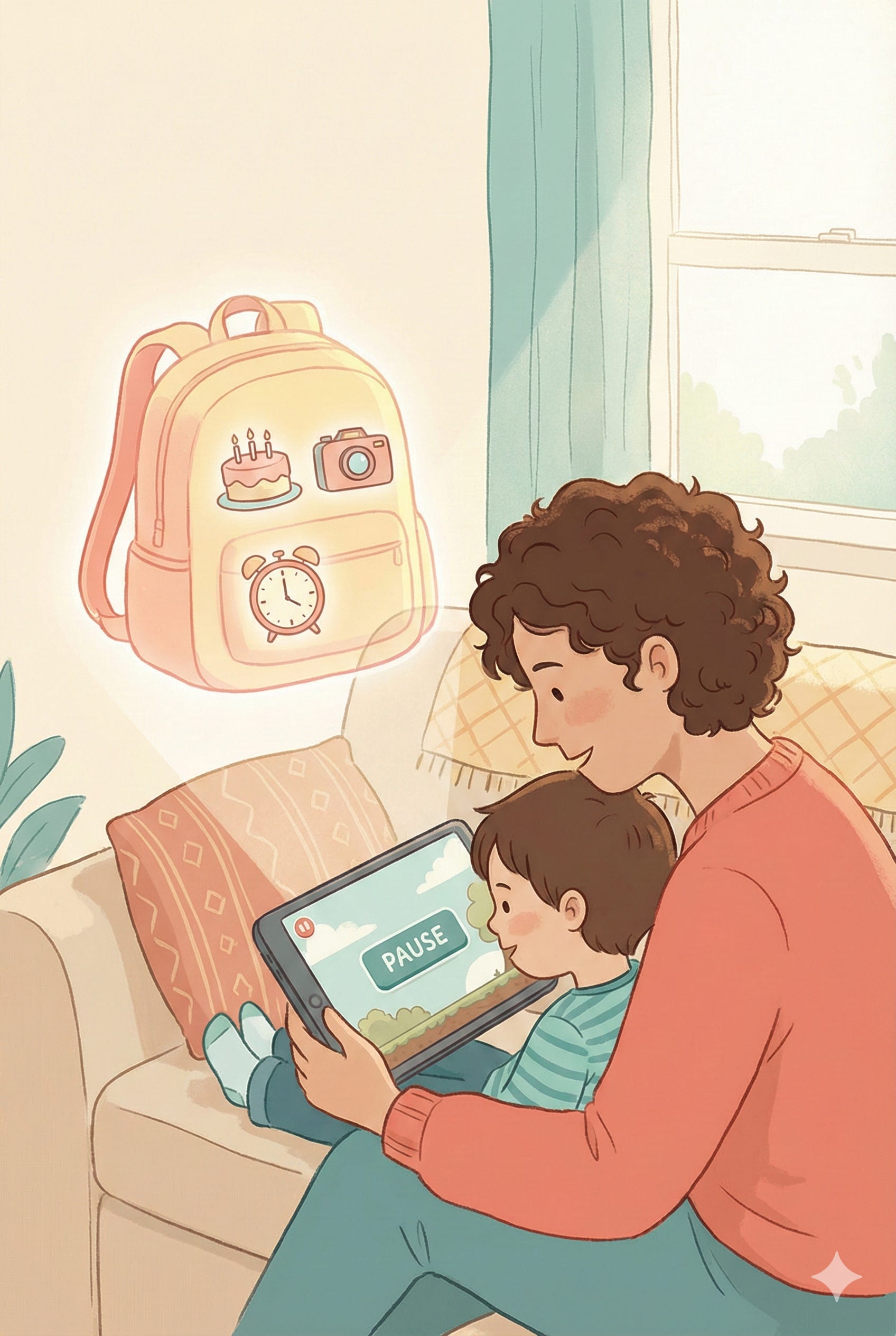
🧩 The Question That Stopped Me
My 7‑year‑old was mid–boss battle in a spelling game-coins flying, timer blinking-when she suddenly paused.
“Daaad…Daaaaad... why does it want to know my birthday?”
I opened my mouth to explain. Then closed it.
Was it to check her age? Personalise content? Sell something later? The truth was: I didn’t really know what happened to that birthday once she typed it in.
You already know this wasn’t a smiling “hey dad...?” nope, she asked in that dull, irritated i-want-to-keep-playing-but-I-know-i-should-check way.
In my mind: Yes, MASSIVE...She thought then She checked!!!
About a month earlier she’d blasted through three pop‑ups on another school approved learning web app, faster than I could say “wait.”
“Allow microphone?” → Allow
“Allow camera?” → Allow
“Accept all cookies?” → by Default
🎉✨ Confetti! 😄🙌

To be fair, the app is great so far and from my quick online checks, they follow solid and reasonable safety and privacy guidelines, with an easy to find (and understand) child focused privacy policy. And for extra kudos, as the parent, I had to create an account and enter and confirm details and consent on behalf of my child, before she could continue playing at home. (if you must know, DM and I’ll share the name but I’m not intending to single out specific apps as good or bad).
My brain, though, was still back with those pop‑ups.
She wasn’t being reckless. She was doing what most of us do when the fun is right there and the “terms” are a small font blur of blah, blah.
We need tiny, repeatable ways to talk about data and consent-without lectures or fear.
Tonight’s ritual builds that muscle gently: as you and your child draw a Family Data Map, colour‑code what feels okay, ask one clarifying question, and seal a tiny Treasure Chest of private info.
The goal:
Pause → Ask → Decide together.
The gap we’re closing tonight: Kids often assume “the people at [app company]” will protect them like a trusted adult. Tonight, we make the invisible, visible, so they can decide for themselves.
🧡 Parent Primer: Data, Consent & the Invisible Backpack
Plain language first.
Data is information. Sometimes it’s about devices and apps (which button was tapped, what time we played). Sometimes it’s about people (a name, a birthday, a photo).
Private data is the more personal stuff. The pieces of your child’s story that can travel far and linger long after the interaction.
Consent is a real yes or no to sharing those pieces.
Privacy isn’t about keeping secrets. It’s about knowing what leaves your device, where it goes, and whether you’re okay with that.
And a simple one-liner for your child:
Your data is tiny pieces of your story. Consent means we decide who gets to carry them.
I’m not pretending it’s easy to protect (or not overshare) our information. There’s plenty of literature on the difficulties and grey areas around digital data consent. I’m focusing on starting a data privacy dialogue with our kids and on what we can do. I believe it’s only going to get harder as the current technology and “apps” evolves (drop a comment if you’re feeling the urge to get a bit more technical and we can DM :)

Here’s the picture I’ve started using at home:
Each app carries its own invisible backpack. When we use the app, we’re putting pieces of our story inside it.
🎮 Core Activity: Draw Your Family Data Map (30 minutes of holiday fun)
Happy holidays - many of us may have a bit more “flexible” time with the kids that needs filling, so I’m offering my first 30min ritual that you can choose to do all at once, or easily break into 3 x less than 10min parts over January.
Tonight’s ritual has 3 simple, kid-approachable concepts
1. imagine each app carrying an invisible backpack, with our data in it.
2. we use traffic lights as a visual way to decide what we are comfortable sharing with whom
3. Our Treasure Chest contains our private data and stays with us. We choose if we ever move a piece from our chest into an app’s backpack.
Materials: Paper, markers (green/yellow/red), one app you use together.
We’re going to map where tiny pieces of your child’s story travel when they use one familiar app.
Prereader tip: Your child can draw symbols instead of words (camera 📷, heart ❤️, house 🏠). You write the label together. My 3-y-o tells me what each🖍️ means.
Step 0 - Pick the App (1 minute)
Choose a game, drawing app, or learning app your child already knows.
“Tonight we’re going to be Data Detectives for just one app. We’ll find where it sends tiny pieces of our story.”
Step 1 - Draw Your Child and the App (3 minutes)
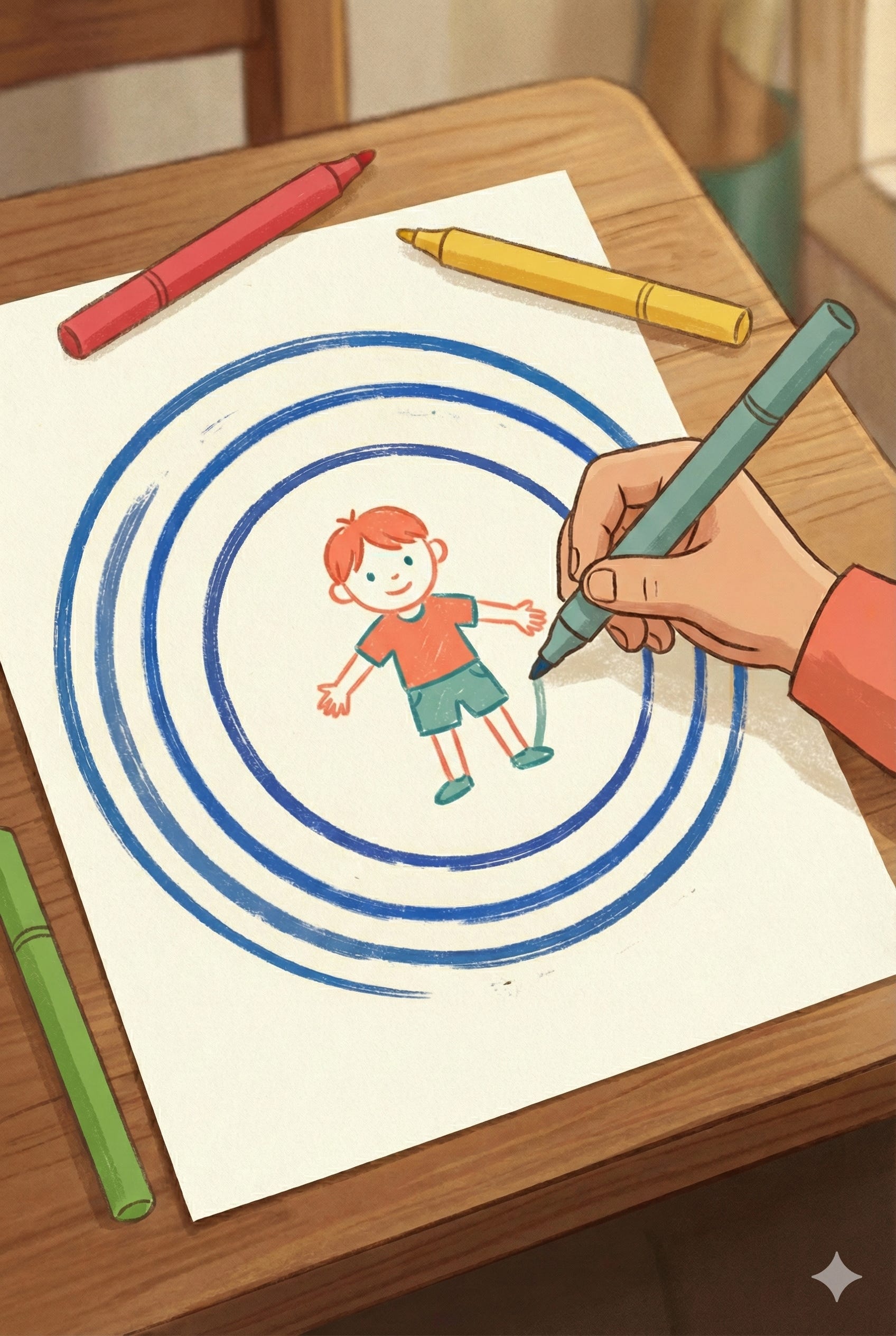
Draw a simple target around your child:
Your child in the centre.
The app icon next to them.
Draw three circles around them, like a target:
Inner circle (closest): people we trust a lot (family, doctor, teacher)
Middle circle: apps and companies we use (the game, tablet, platform)
Outer circle (furthest): people we don’t really know (advertisers, “other companies”, public).
Guide them
“This isn’t a good vs bad chart. It’s a ‘how much do we need to think’ chart: the further away a circle is, the more carefully we decide what to share.”
Connect your child to each circle with simple arrows and, if you like, small labels (Family, App Company, Other People).
“These arrows show where tiny pieces of your story might go.”
Step 2 - Add the Data Clues (5 minutes)
Ask what the app might send to each bubble. Write or doodle 1–3 pieces of data near each arrow.
Examples:
App company: high scores, which buttons they tap, favourite levels
Advertisers: what time they play, general interests, age
Family/Home: photos or shared library you choose to save or share
No right answers-this builds the habit of questioning. Talk about it together.
“I think the app company sees which levels get played most so they can make more like that.”
Just doing this made me open a few apps, I realised I’d never actually noticed the permissions on our favorite learning app...the one ALL my kids use! Nearly three years of use. Zero idea what it collected.
Step 3 - Traffic‑Light Consent (4–5 minutes)
These colours are about how we feel sharing this piece of data with this bubble today. The same info could be different colours in different places - for example, your home address is probably green for the doctor, but might be red for a random game.
Use:
🟢 Green → we’re okay with this
🟡 Yellow → not sure; we want to ask
🔴 Red → no thanks
Let your child choose the colour for each arrow.
“For this one, the app gets [your data]. Does that feel green, yellow, or red to you? There’s no wrong answer.”
Turn at least one yellow or red into a plan:
🔴 Red → try to turn off a setting or skip that feature
🟡 Yellow → move to Step 4
My 5-year-old marked “school knowing my favourite colour is blue” because “Then they’ll make me wear it every day.” Mileage may vary, in the best way :)
🤖 Step 4 - Question Then Prompt (When You Hit Yellow, 2–3 minutes)
If you mark something Yellow and neither of you understands what it means for the app or the “asker’ (like “usage data” or “third-party partners”).
Ask your favourite AI together.
No child names, no photos, no private info-just the confusing term.
First, speak the question aloud:
“We’re wondering what ‘usage data’ means in this app.”
Then use a SAMI‑structured prompt without labels:
We are a parent and an [10]-year-old learning about data and consent.
We want a kid-friendly explanation of what it means when a drawing app [you can name it if you want]
collects "usage data" or asks us to "accept cookies."
Use simple sentences and one example from a playground or school.
End with ONE question we can talk about together.
Do NOT ask us for any personal information.
Read the answer together.
“Did that feel clear? Is there a follow up question on either of your minds? Should we ask to make the explanation simpler?”
Always reinforce : Question → Think → Iterate.
🌳 Offline Close : Treasure Chest Ritual (3–5 minutes)
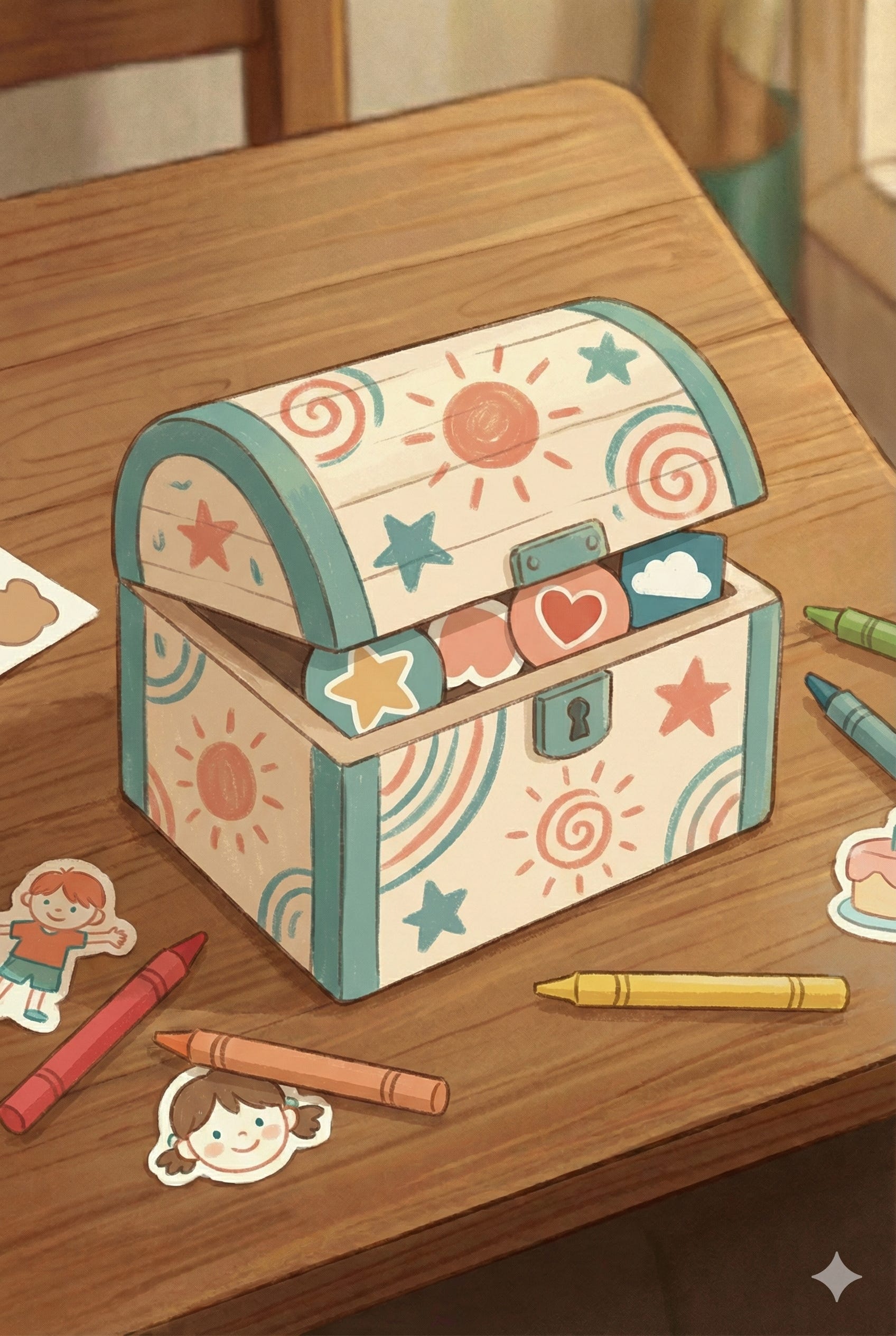
You’ll create a tiny Treasure Chest on paper, for the most private pieces of your child’s story - the things we keep with us unless we have a really good reason to let an app carry them in its invisible backpack.
Even for people and services in the inner circle, some things stay in the Treasure Chest. If it’s in the chest, we still pause and ask a parent, “Do we really need to share this, and with who?” For example, your doctor might need your address, but a fun game almost never does.
Name the map: “Our Data Map for [App]”.
Write one family rule your child helps create:
“We never share our home address in games.”
“We always ask before saying yes to new permissions.”
Create the Treasure Chest:
Use a box, envelope, or folded paper and some stickies.
Write or draw 3–5 pieces of private info that stay locked unless you both agree to share them:
Full name (first + last)
Home address
School name
Phone number
Passwords
Photos of faces (unless you’ve talked about it first)
Add your own**
Place them inside and decorate.
**Last week, I decided to extend the common Personally Identifiable Info (PII) to FII - Family/Friends Identifiable Information.
I’m not unpacking it here as it’s more general parenting (and there are plenty of awesome parenting Substacks that are probably better placed to guide you) but we did include some of our own non-AI related privacy rules to our treasure chest - like if you hear anything related to private parts, telling or keeping secrets or stranger danger rules, we stop and check with a parent.
Choose a home for both the map and the chest.
“Your data is part of your story. I’m glad we decided this together.”
Sticker or turtle dance highly recommended.
📦 Mini Challenge for the Month
Kid challenge: Notice one time an app asks for permission. Shout:
“Check the backpack!”
Parents: Pick one app you use and turn off a setting that doesn’t match your Family Data Map.
Sticker or detective badge optional.
📚 Research Corner (For Curious Parents)
Children’s data and privacy online (LSE, 2019): Children often personify tech companies, assuming they’ll protect them like trusted adults, which can make them less cautious with personal data.
Protecting children’s rights in digital environments (UNICEF, 2024): Digital spaces are generally built for adults and often use “dark patterns” that nudge kids to overshare.
Children’s understanding of personal data (Livingstone et al., 2024): Shows that kids can’t protect what they can’t see; visualising data flow is a critical first step, and their own voices should shape how we teach it.
Guidelines 05/2020 on consent under the GDPR (European Data Protection Board, 2020): Explains why consent gets tricky when a service feels “take it or leave it”-if an app makes access dependent on agreeing to extra data use that is not necessary, that consent may not be truly free.
Opinion 08/2024 on “consent or pay” models (European Data Protection Board, 2024): A clear, modern example of the grey area: when the choice is basically “agree to tracking or lose the service,” regulators question whether people have a real choice.
Norwegian Consumer Council shows how popular services use design tricks and defaults to steer people toward sharing more than they intended, which makes “consent” feel less like a decision and more like a funnel.
Why this matters: When kids can see where data goes, they feel permission to pause, question, and decide.
🪞 Reflection for Parents
When did my child look unsure or curious tonight?
Where did they mark something red that I would have marked green?
What tiny "pause sentence" will we use this week before tapping Allow?
🔔 Next Up: Sensors & Data - How Computers “See” the World
We mapped where data travels. Next, we explore how devices collect that data through sensors-and we’ll build a playful sensor helmet to feel what it’s like to be a robot noticing the world one signal at a time.
💓It takes a village to raise curious, empathetic and responsible AI natives.
Thanks heaps.
Wow Ryan, thank you for coming up with - Parent In The Loop. I find it soo useful and I am looking forward to your next one