
🚂 The Beep-Boop Beginning
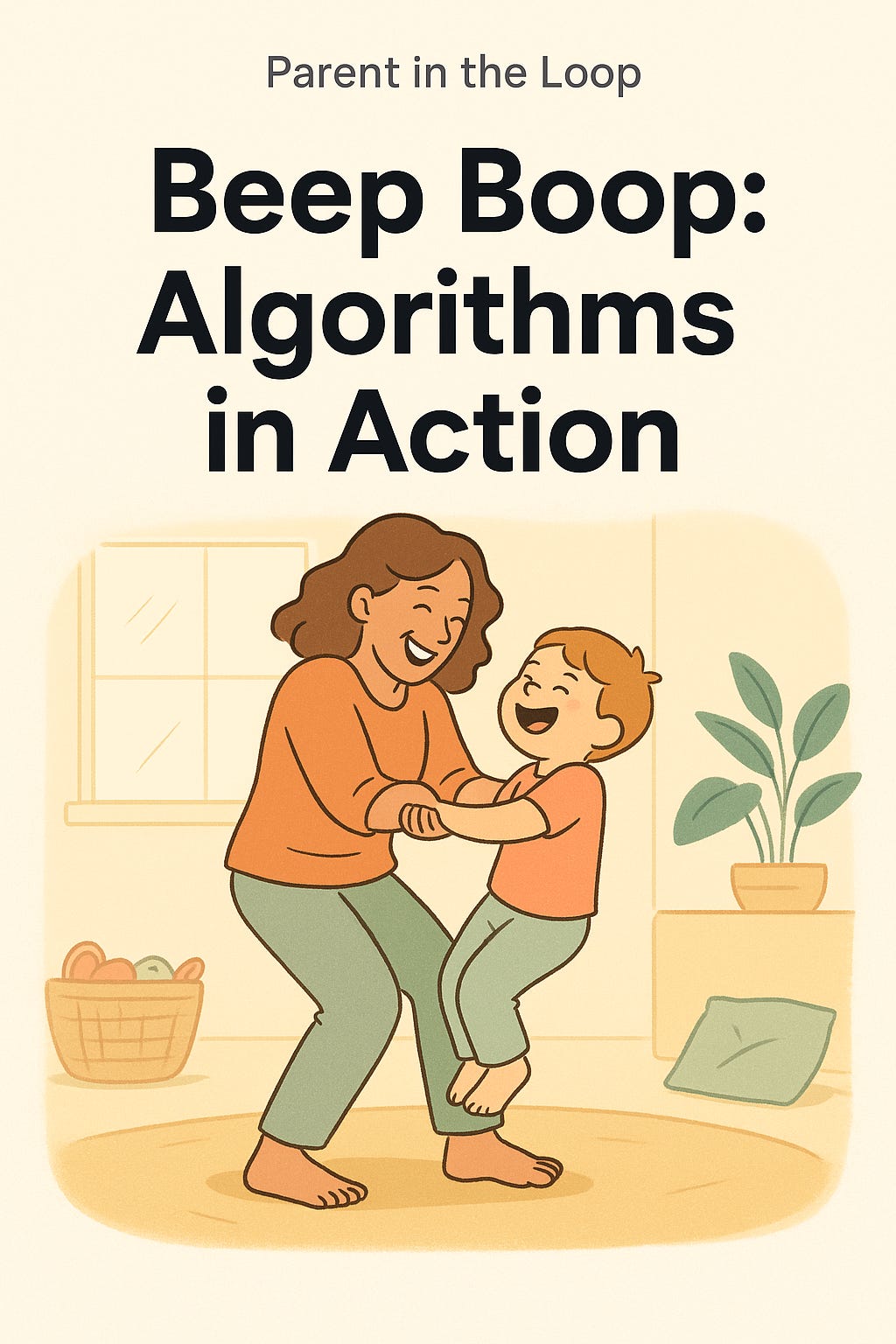
I feel the small weight shift as my 5-year-old plants her feet on mine. We are both facing the same direction. “Forward!” she declares, gripping my hands. We shuffle through the living room in unison. With each tiny step I take (her feet riding on top of mine), she chirps a high-pitched “beep.”
“Beep... beep... stop!” she commands, noticing a pillow “boulder” ahead. I freeze, trying not to laugh. “Turn left,” she says solemnly, and we pivot to avoid a crash. Off we go again: “beep, beep, boop.” We pass the toy basket which in our game triggers a “tickle storm!” I swoop her up amid squeals and laughter.
In this silly walking game, my children are giving me step-by-step instructions and adjusting them whenever we nearly bump into something…and sometimes…after we bump into something! Without realizing it, we are playing our first algorithm and even doing a bit of debugging when our steps go off-course.
🧡 Parent Primer: Algorithms and Debugging in Plain Language
This week we’re introducing a key foundation of logic and coding…without screens, for non-tech parents. Next post we’ll add screens and learn how we teach a computer, in a really simple and approach way.
Algorithm = A clear list of steps that solves a problem or reaches a goal.
Or as kids might say: “A how-to list for what happens next.”
If you’ve ever given your child directions to brush their teeth (“wet brush, add toothpaste, scrub, rinse”) or followed a recipe, congratulations - you’ve used an algorithm. Computers use them too (just written in code) to do everything from starting up to creating documents to sorting photos to recommending songs.
Why teach it through play?
Research shows that when kids break things into steps, like brushing teeth or stacking Legos, they’re training the same planning muscles used in math and problem solving. It helps them believe, “I can figure things out.”
Debugging is just a friendly way to say fixing mistakes. When something goes wrong, we pause and say, “Oops, let’s try that again.” or “what might we change to fix that?” That mindset turns frustration into experimentation. It teaches persistence, adaptability, and confidence.
💬 One-liner to share with your kid: “An algorithm is a step-by-step plan. When the plan goes wrong, we debug - that means fix it and try again.”
Tip for parents of different ages: For ages 3–6, keep it physical and visual by using toys or movement to show steps and fixes (“If the block falls, try again”). For ages 7–10+, connect it to planning tasks or creative writing—show how a story outline or recipe is also an algorithm that can be debugged when details are missing.
🧩 Family Activities: Algorithms in Motion or The Classic Sandwich problem - choose 1 for tonight!
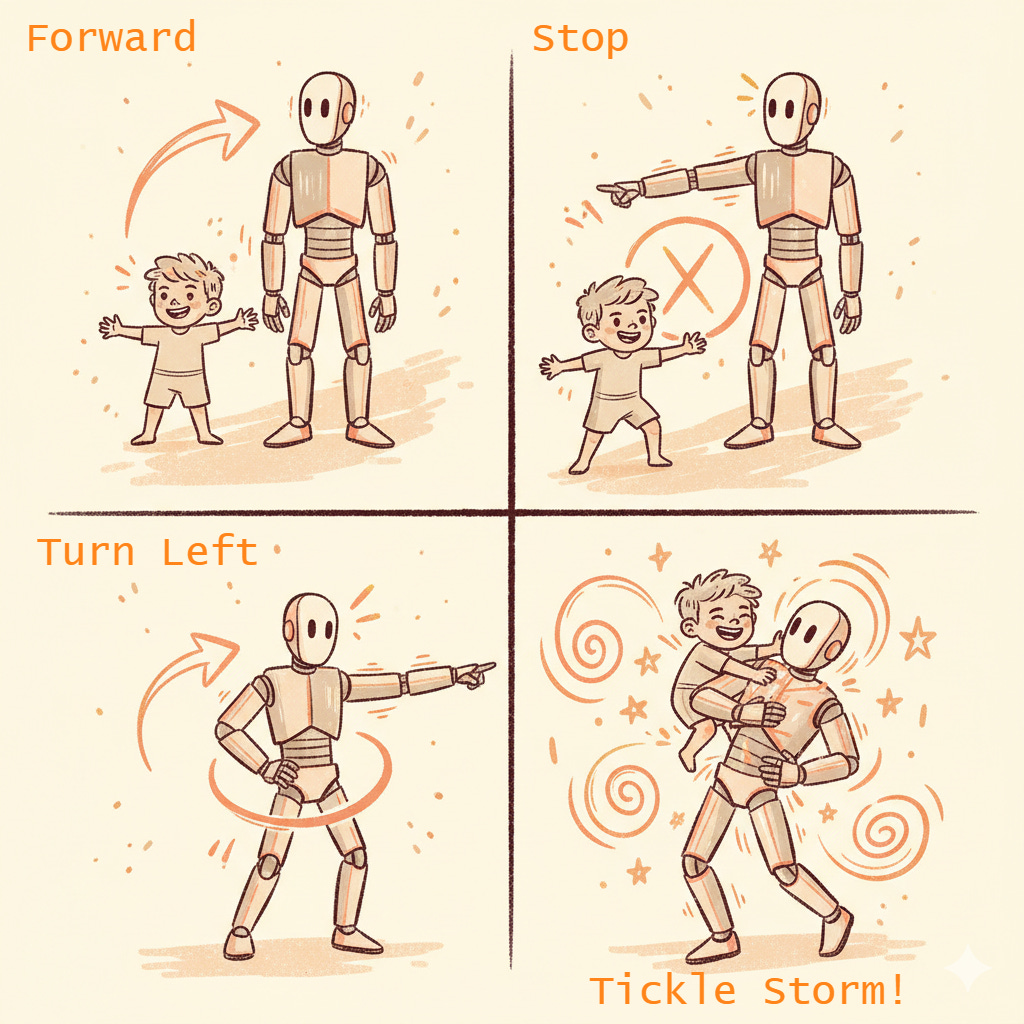
🚶♀️ 1. The Beep-Boop Game
Time: ~8–10 minutes | No screens required | Builds sequencing and debugging skills
Set up your own “foot train” or “robot” helper.
Facing in the same direction, have your child stand on each of your (adult’s) feet.
The child is in control andcalls out directions: Forward, Stop, Turn left, Turn right or Back.
Add a silly condition like “If we pass the basket → tickle storm!”
Each new obstacle becomes a bug to fix, expect your kids to have an awkward moment upfront adjusting their instructions to avoid “crashing.”
Think Simon Says meets obstacle course…with a dash of coding logic thrown in.
Honestly, the best twists come from my kid’s imagination. When I follow her plan too literally, we both end up laughing and learning how clear directions really matter.
Why it works: Physical play turns abstract logic into a sensory experience and kids feel the consequences of missing or unclear steps.
And a big win i didn’t plan for - we are reinforcing Left vs. Right, super useful for the rest of their lives and something I’ve noticed remains confus for many grownups too.
🥪 2. The Classic “Sandwich” Problem
Time: ~10 minutes | Goal: test clarity and fix funny bugs | Ingredients optional, giggles required
This one works well with older kids and adults too…
If you’ve been around logic or coding or computer science you might have come across this classic intro to logic “problem”. I’ve seen variations everywhere, from academic literature to kid coding, math and logic tutorials, and there are a few “build your first robot” kits that anchor to this.
Allergens and preferences : The classic is a Peanut Butter and Jelly (PB&J) sandwich, swap in preferred ingredients or change it to another easy meal they are familiar with…or non-food props (toy food, paper cutouts, or blocks). One of my kids doesn’t eat the PB or J and the activity is just as fun for them.
Parent setup:
Say, “You’re the coder. I’m your robot. I’ll follow your instructions (steps).”
Let your child give you sandwich-making instructions.
Perform every step literally.
If they say, “Put peanut butter on the bread,” you might hold the closed jar over the slice. You’ve just created a teachable (and hilarious) bug.
If they’re old enough they’ll correct it automatically. If not, Pause and ask:
“What went wrong? What was missing or unclear?”
Then debug by adding details:
Open the jar.
Use knife to scoop a little.
Spread evenly.
Add jelly.
Press slices together.
Parent confession: Our first sandwich landed face down on the floor, but hey, best debug ever?
💬 Reflection prompt: “Describe what changed, when we changed step
[something specific your child said]”
🧭 Parent Recap
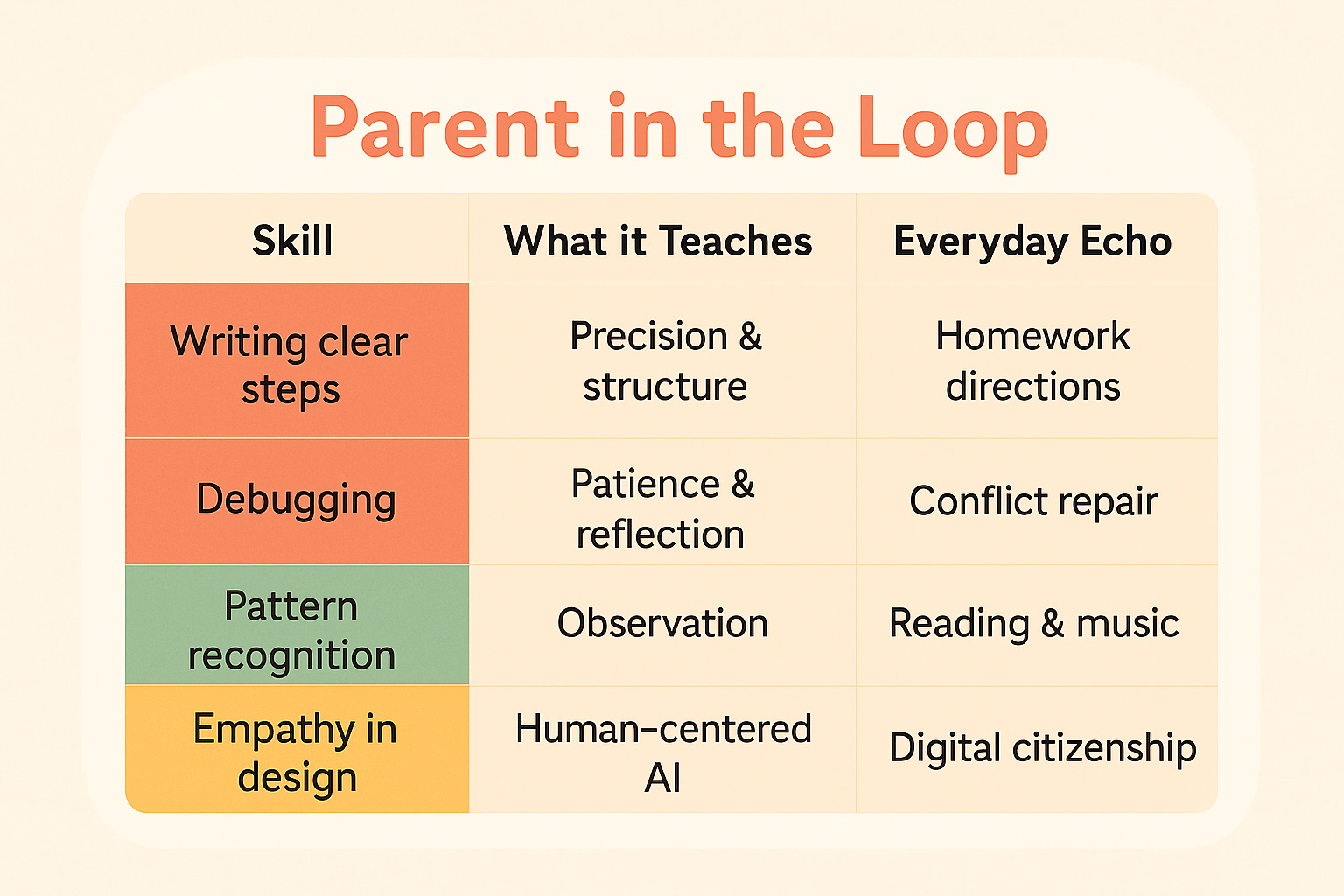
🧒 Recap for kids
“Algorithms are like recipes. When a step’s missing, even robots make silly mistakes! We can fix them by checking one part at a time. That’s called debugging!”
📦 Mini Challenge for the Week
Kid challenge: Create a morning routine algorithm (five steps max). Act it out like a robot.
Parent helper: Add one “what if” branch (“If we’re late, skip cartoon step”).
Celebrate with a sticker or high-five.
📚 Research Corner
MIT RAISE (2024) – Algorithmic thinking parallels early childhood sequencing.
Harvard Center on the Developing Child (2024) builds planning skills for problem solving and debugging.
UNESCO AI Education (2024) – Algorithmic literacy = core competence for ages 6–12.
DOE AI Guidance (2025) – Families as first teachers in responsible AI.
Why this matters: Recognizing that algorithms = steps + choices helps kids see that humans design technology - not the other way around.
🪞 Reflection for Parents
When did my child notice something “off” and fix it?
How do I react when my own plans need debugging?
What small algorithm at home could we make clearer together?
🔔 Next Up: Algorithms make AI.
This post we learned how steps shape outcomes to build a foundation for structured problem solving, empathy and patience. Next, we’ll use the same fun logic we learned this week, to interact and teach computers and AI!
A great reminder that algorithms and debugging are already part of everyday parenting, not just technical. Framing “mistakes” as playful fixes feels like such a healthy way to talk about learning and errors at school, too. Could you share an example of how this language might work in a classroom setting?
Hey Greta, I love that you connected the concept to education generally.
A simple classroom example I’ve seen work well : instead of “that’s wrong,” the teacher says, “our steps didn’t quite get us where we wanted let’s debug one part.” The idea is to change just one step together. Maybe the instruction was unclear, maybe a step was skipped. No drama. No shame. Just curiosity.
It works exactly the same for parents. For me, I have to keep reminding myself to focus on "just one part" even if there are 4 "gaps" in their work or understanding.